
4 E-Z Pieces to Solving Your Financial Puzzle
Just like other accounting software programs, Big E-Z helps you put together your financial puzzle; we just use bigger and fewer pieces. Here are 4 E-Z pieces to solving your financial puzzle. We’ll outline them here and you can use Big E-Z Accounting to put them all together.
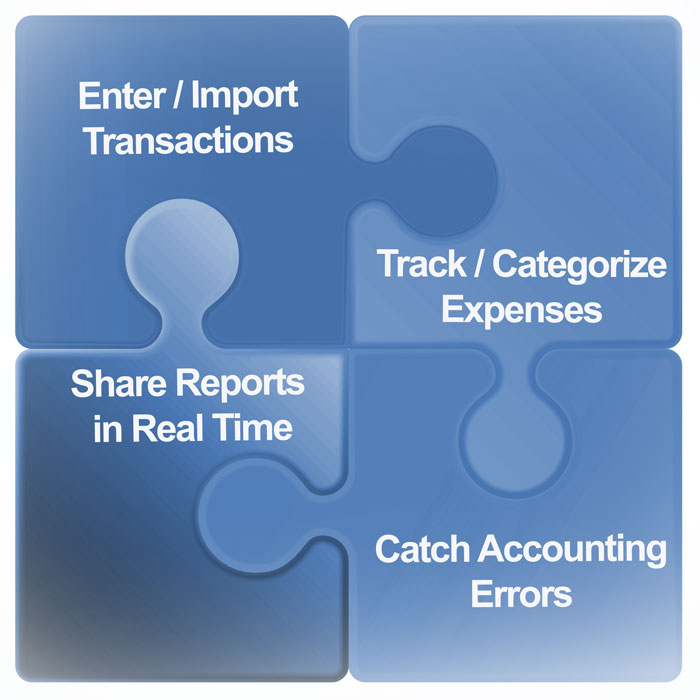
Step 1: Enter or Import Transactions
You’ve probably heard this advice on how to make good decisions: “Consider everything.” You’ll want to enter all your transactions into one system; this includes your checking, savings, all your credit cards, merchant transactions, etc. So if you have just a few transactions, you can enter them row by row.
If you have lots of transactions, you will save time by using our powerful importer. Using the importer reflects exactly what the bank has on record for your account, creating less room for errors. Our unique importer even allows you to trim unnecessary bank-generated words before they are imported. All this will give you a true accounting of your financial activity.
In the Big E-Z Accounting system, import all your transactions by following these instructions.
Step 2: Track/Categorize Expenses
As the saying goes, “a place for everything, and everything in its place.” In this system you can easily place each transaction into its proper category. Each of our 18 preset lists includes tax-deductible expense categories for small businesses and nonprofits. Choose a list that best fits your organization to quickly organize transactions into the right places.
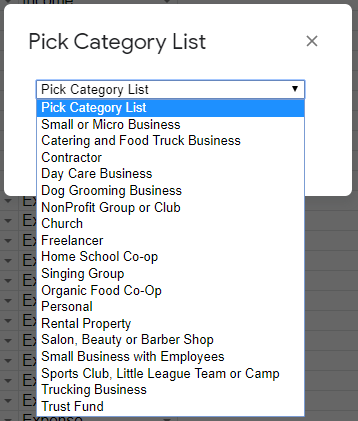
You can customize the categories to fit your needs or bring in a complete list of income and expenses from your previous accounting program. Our extensive programming in Google scripts will sort all your category entries into totals necessary for clear reports.
Step 3: Catch Accounting Errors
You know the saying, “Garbage In, Garbage Out.” Now that everything is entered it is important to check the accuracy of your data.
Here’s how Big E-Z helps you check for accuracy:
We have an exclusive section within our program to help you find errors. It’s called Lookup / Find Errors and that is where you can find entries you forgot to categorize or determine if your transfers between ACCOUNTS were handled correctly.
We also have an unique Control Sheet that allows you to see if your Balance Sheet and Direct Cash Flow reports actually balance. You can keep tabs on your profits and stay up to date on your actual available cash balance as well.
As you reconcile your ACCOUNTS on a regular basis, you will match up your records to your financial institution’s and note any differences to prove your records are accurate.
Step 4: Share Reports in Real Time
Now you will able to share accurate and professional-looking reports with your team. If you share and allow edit access, your team can collaborate in real time with your organization. This is a huge benefit to many that use this program. For more information on reports, watch our 3-minute tour of the reports section.
See a list of reports in the image below:
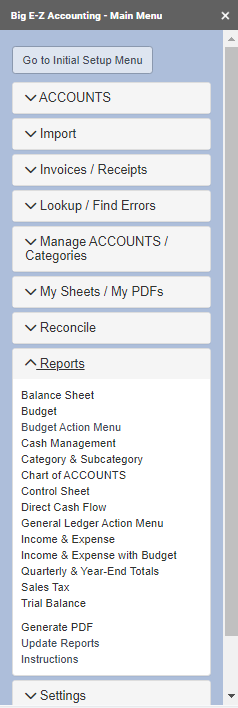
Big E-Z Accounting also allows you to add your own reports. You can do this by adding a sheet and it will show up under My Sheets /My PDFs. This can be quite helpful if you or your accountant have other data to track.
Following these 4 steps will result in resolving your financial puzzle. Some reasons for doing this are to plan for future purchases, have peace of mind that everything is in order, know you are in control of your finances, and stay organized for tax time.
Happy bookkeeping!