
How Big E-Z Accounting For Google Sheets Works
How It Works
Entering Transactions in ACCOUNTS
See where to enter and categorize your transactions and how to split transactions too.
Track Income & Expenses
Follow these 3 E-Z steps to update your accounting records and stay organized for tax time:
- Enter or import your transactions in your CHECKING ACCOUNT
- Categorize your transactions
- Reconcile with your bank account statement to prove your totals are true and accurate
Then you can use the Lookup feature to get to the details:
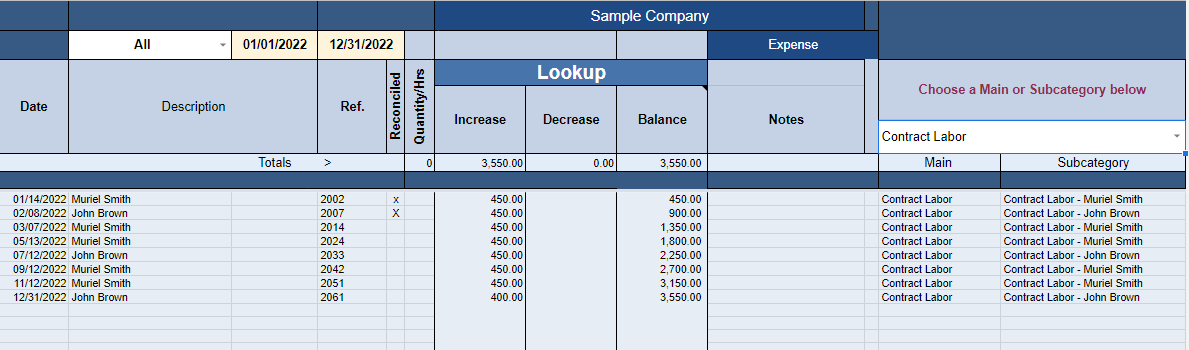
You’ll be able to manage the following:
- Cash flow
- Income and expenses
- Donor and membership income
- Sales and sales tax
- Contractor payments for 1099s
- Mileage, hours, and sales quantities and much more
Pick a Category List of Tax Deductible Expens
There are more than 30 types of businesses with their respective lists of deductible expenses for you to choose from. Pick the list that best fits your needs. Your system will be set up with the list of categories you choose.
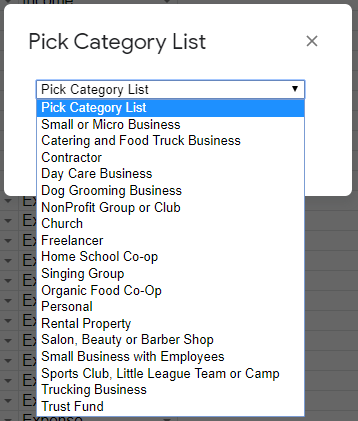
Customize it by adding or deleting categories.
You are now ready to start entering your transactions.
Create a Budget
Set up a budget anytime during the year. Creating a budget can be a guessing game. Unless you have a previous record of your spending. So, try to determine how much you will spend in the coming months or year and get your budget started. You can make changes as you go along. No worries if it is not accurate at first. Give it a try!
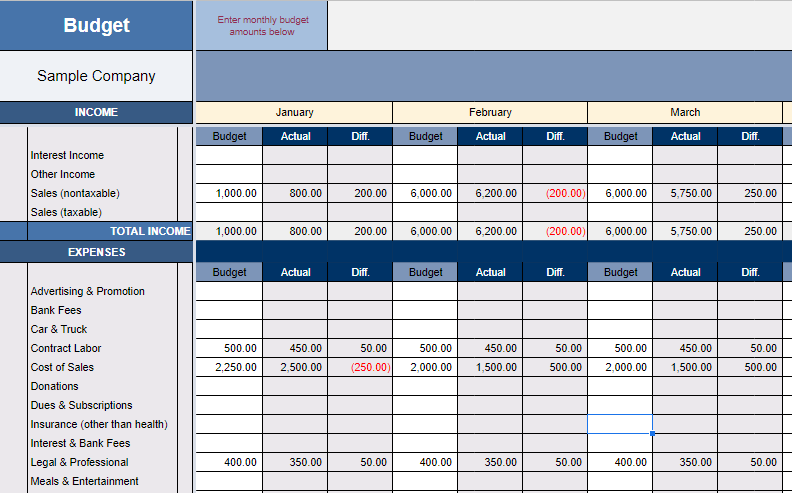
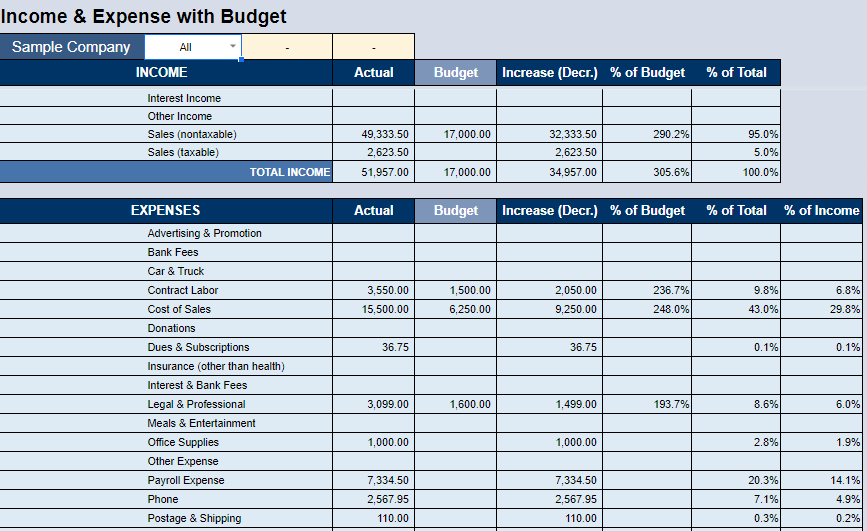
Once you do, your reports will reflect the budget vs. actual amounts, like this:
Manage Your Cash Flow
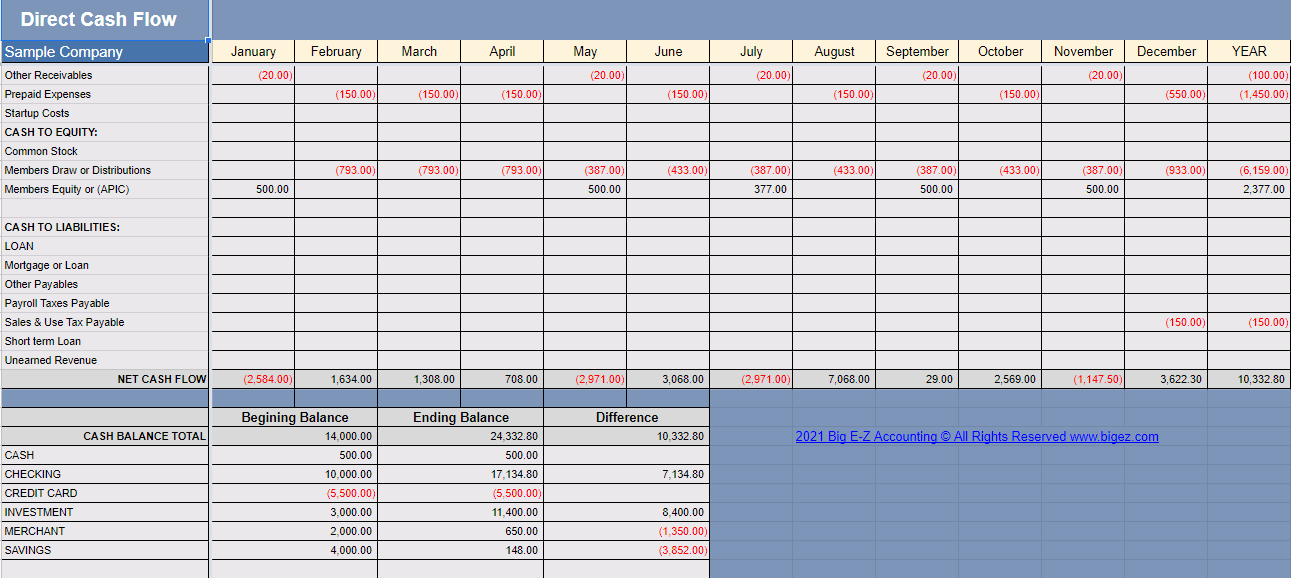
Direct Cash Flow
Keep a handle on your cash flow like never before by using our Direct Cash Flow report.
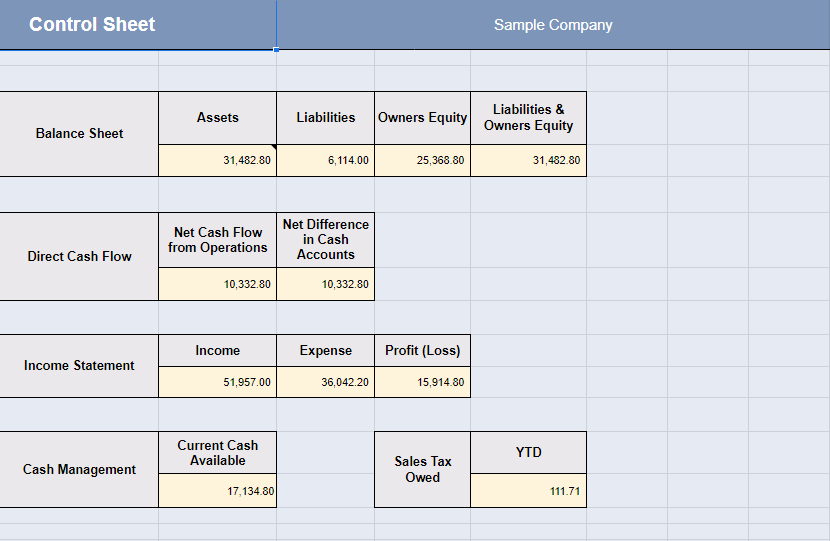
Control Sheet
Keep an eye on the most important numbers for your organization.
Manage Contractors, Donors, and Members
- Set up each contractor as a Subcategory to track payments for 1099 reporting
- Track contributions from donors or members by setting them up as a Subcategory
- Use the Lookup throughout the year to track payments to contractors or donations received
- Print receipts at year-end
Clear and Concise Financial Reports
Big E-Z has many reports you can use to manage your organization:
- Balance Sheet
- Budget
- Cash Management
- Category & Subcategory Report
- Chart of Accounts
- Control Sheet
- Direct Cash Flow
- General Ledger
- Income & Expense
- Income & Expense with Budget
- Quarterly & Year-End Totals
- Sales Tax
- Trial Balance
You can provide these professional-looking reports to your associates each month or your accountant at the end of the year. The best part is everything is fully automatic.
You don’t need to know how to make accounting journal entries or even know a “debit” from a “credit.” Just let Big E-Z do its magic.
To learn more, watch our video on reports and discover all of the reports you can generate using the Big E-Z Accounting system.
Multiple Users & Devices
Use Big E-Z Accounting on multiple devices to collaborate with associates or share with your accountants. It works with your Google account and Chrome browser.
- Share the Big E-Z sheet with multiple users to improve productivity
- Allow users viewing or editing access to your sheet
Invoicing & Using Payroll Services
Invoicing
Big E-Z Accounting offers a basic invoicing feature that allows you to send invoices via email to your clients. A list of Invoice PDFs will be placed in the PDF Invoice History so you can apply payments then determine who owes you money. There are also many free programs you can use to get the invoicing done online and then import the details to Big E-Z to obtain the financial reports you and your accountant need. Some charge a small monthly fee to have the estimating function included or to accept credit card payments. It can be well worth the money.
Payroll Service
Using a payroll service is such a smart idea. It can be so difficult for a small business or nonprofit to keep up with all the payroll tax laws, due dates, thresholds and tax tables that change every year. It is often easier to have a service provide this for you.
Once you are set up, just enter the payroll totals into Big E-Z and make life a lot easier for yourself. Let us know if you need a recommendation of an experienced payroll service that handles payroll in most states.